
Modern businesses rely heavily on real-time insights to make smart decisions, improve efficiency, and scale operations. But dealing with multiple data platforms and legacy analytics tools can stifle growth and generate silos. To address these issues, companies are trying to modernize their current data infrastructure. By leveraging best practice Microsoft fabric migration services, businesses are able to shift from isolated tools to a unified method.
Microsoft Fabric unifies end-to-end data engineering, science and business intelligence in a single environment. By engaging with proficient Microsoft fabric migration services partners, enterprises can upgrade their data environment, get rid of legacy constraints, and maximize the benefits of their business intelligence assets.
What Are Microsoft Fabric Migration Services?
Microsoft Fabric migration is the process of moving an organisation’s existing data, ETL pipelines, reports and storage architecture into Microsoft Fabric. It involves transferring data from platforms such as Azure Synapse, Power BI, SQL databases and third-party cloud platforms into a unified analytics environment. According to a 2025 State of BI Report, 30% of respondents identified Microsoft Fabric adoption as their top BI and analytics initiative, highlighting the growing interest in unified data platforms.
These services combine analytics and data management into a single service to avoid having to integrate multiple analytics tools. Microsoft fabric migration services simplify this migration, reducing business disruption, delivering faster access to data and supporting modern business operations.
Why Are Businesses Moving to Microsoft Fabric?
✧ Centralised Data Management
OneLake offers a single data store of data throughout the organisation which minimises duplicate data. Centralised management also makes it easier for departments to have access to consistent information, and work from one source of truth.
✧ Faster Business Insights
Real-time data processing and stream analytics are supported in Microsoft Fabric for quicker decision making. In Direct Lake mode, Power BI can analyse large data sets without needing to refresh the data often.
✧ Improved Data Accessibility
Teams have access to, discovery of, and analysis of enterprise data securely, without custom data requests. Shared workspaces also enable several departments to work together more easily and share information.
✧ Simplified Analytics Operations
Microsoft Fabric unifies data engineering, data science and business intelligence in a single workspace. Modern data fabric implementation services also facilitate the ease of ETL and ELT processes, ease the burden of maintenance and enhance the efficiency of data processing.
✧ Better Support for AI, Automation and Scalability
Built-in Copilot helps users create insights, questions and reports with natural language. There’s also support for predictive analytics, model development, and deployment with integration to Azure Machine Learning.
Also Read: Microsoft Fabric vs Azure Synapse: A Complete Comparison
Common Challenges Businesses Face During Microsoft Fabric Migration
Moving enterprise analytics environments is a challenging task. Partnering with a competent Microsoft fabric migration services provider assists firms in the tackling of typical migration hurdles:
✧ Complex Legacy Data Systems
Existing business logic can be hard to find in older databases, custom stored procedures, and undocumented ETL scripts and is hard to map to the OneLake architecture in Fabric. The on-premises systems are also schema-bound, which necessitates a lot of re-engineering to handle the Lakehouse and Delta table formats in Fabric.
✧ Data Quality and Consistency Issues
When data is transferred from multiple sources it can identify duplicate data, missing data, and inconsistent formats, which will impact reporting accuracy. But organizations must also test and retest multiple times to compare legacy report calculations with the Microsoft Fabric semantic models to assure consistency.
✧ Integration with Existing Applications
Legacy API connections or custom applications could rely on outdated database drivers, and this could create a challenge for integration with Microsoft Fabric. It is important that during phased migration, the organization is able to synchronize the existing infrastructure with the new workloads deployed.
✧ Security and Compliance Concerns
Legacy permission structures need to be correctly configured as Role Based Access Control (RBAC), Object Level Security (OLS) and Row Level Security (RLS). Effective governance with Microsoft Purview is also required to ensure that organizations comply with regulations, keep data where they need it, and secure sensitive information.
✧ Migration Costs and Downtime
The migration of live databases and sensitive analytics pipelines can cause disruptions in day-to-day business reporting and operations. Testing with legacy environments and Fabric F-SKU environments together, in addition to poorly managed Fabric F-SKUs capacity can also drive up the cloud computing costs.
✧ Limited Technical Expertise
The teams that have experience with legacy SQL servers and third-party BI tools may not be familiar with the concept of Fabric Lakehouses, Direct Lake, and Data Factory pipelines. Also, the transition to a single platform for analytics will need to involve employee training and change management to promote adoption.
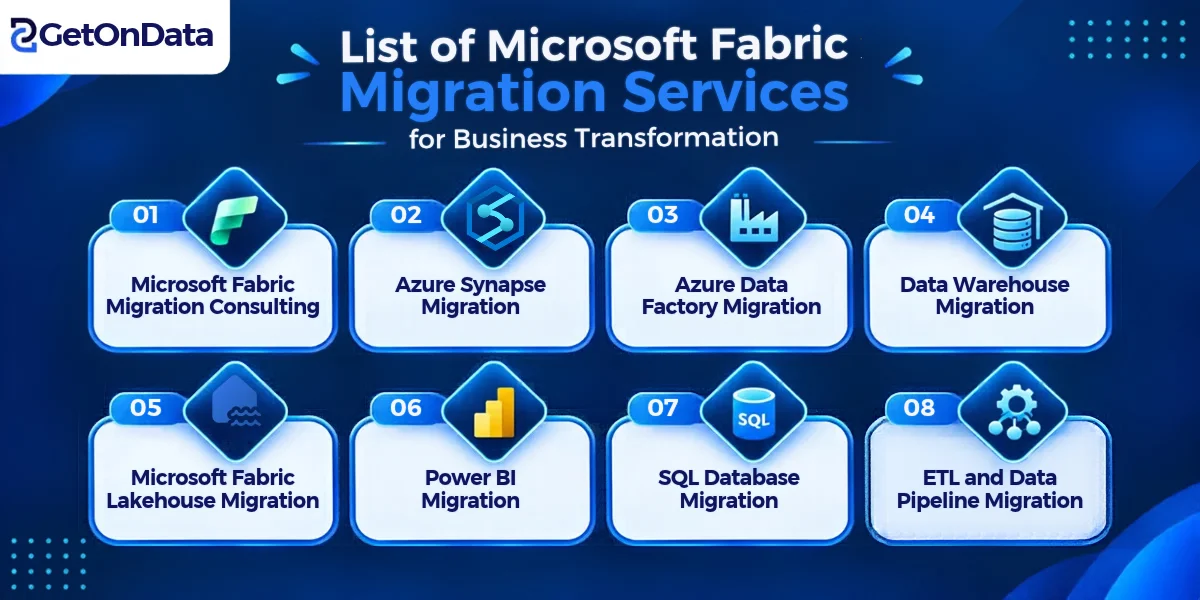
List of Microsoft Fabric Migration Services for Business Transformation
1. Microsoft Fabric Migration Consulting
Strategic Microsoft fabric migration consulting services review your current infrastructure, create custom architecture plans and outline cost-effective migration roadmaps that align with your business goals.
2. Azure Synapse Migration
Import Azure Synapse Dedicated SQL Pools, Spark pools, Pipelines directly to Microsoft Fabric, and enjoy better Direct Lake performance and easier cloud management.
3. Azure Data Factory Migration
Optimize processing power and streamline data flow management by converting legacy Azure Data Factory (ADF) pipelines to modern Microsoft Fabric Data Factory pipelines.
4. Data Warehouse Migration
Scale the legacy on-premises or cloud data warehouses into Microsoft Fabric Warehouses, allowing for seamless scaling, storage and compute separation and cost savings.
5. Microsoft Fabric Lakehouse Migration
Use the complete data fabric services to combine data lake flexibility with data warehouse management by creating Delta Lake table formats in OneLake.
6. Power BI Migration
Enhance existing standalone Power BI workspaces and import data into Microsoft Fabric and take advantage of Direct Lake execution and enterprise governance.
7. SQL Database Migration
Move SQL Server workloads and databases directly to Fabric for easy query processing and access to the unstructured data asset.
8. ETL and Data Pipeline Migration
Refactor outdated ETL/ELT pipelines with fabric data integration consulting solutions that deliver consistent and reliable data into your central lakehouse.
Key Steps in the Microsoft Fabric Migration Process
Step 1: Assess Existing Data Infrastructure
Analyse existing platforms, legacy databases, data pipelines and reporting tools to get an understanding of the current infrastructure. Look for migration needs, system needs and performance bottlenecks that can impact migration.
Step 2: Develop a Migration Strategy
Establish business goals and KPIs for migration. Select appropriate models of Microsoft fabric data engineering services and identify if phased migration or cutover is suitable to support the organization’s requirements.
Step 3: Prepare and Migrate Data
Before migration, clean, de-duplicate and organize existing data to ensure data accuracy and consistency. Move selected workloads to Microsoft Fabric and create automating data pipelines for seamless data movement and processing.
Step 4: Test and Validate Migration
Verify data accuracy and completeness by comparing data between the legacy systems and the target Fabric Lakehouse. Run compatibility, access and report performance tests to see if they perform as desired.
Step 5: Optimise and Monitor Performance
Use Fabric Capacity Metrics to track the load and detect performance problems and resource utilization. Tune query execution, change compute allocation, and optimize workloads – for performance efficiency.
Factors That Influence Microsoft Fabric Migration Costs
The cost of Microsoft fabric migration service provider can vary based on factors such as the volume and complexity of the data, existing infrastructure, and the number of workloads being migrated. Systems that are not cloud-native might need to be refactored more than on-premises systems. Other integration costs include custom API connections, third-party applications, and real-time streaming tools. Plus, security setups, compliance requirements, post-migration support, staff training and continuous technical support all factor into the cost.
Also Read: Tableau to Power BI Migration: A Complete Step-by-Step Guide
How to Choose the Right Microsoft Fabric Migration Service Provider
When selecting a partner for migration, you need to consider their experience with OneLake, Lakehouse architecture, Fabric Pipelines, and KQL Databases. Seek out those that have experience with migrations and success stories with mid-market or enterprise clients. They also need to be very familiar with Azure, Power BI, Microsoft Purview, and data security. A good provider will give clear project roadmaps, realistic costs and project timelines. Also, see if they offer support, optimization, and training for your employees after you migrate. Most importantly, make sure that they are going to go by the approach, which is going to be aligned with the business goals and not just focusing on the technical migration.
Ready to Transform Your Business With Microsoft Fabric Migration?
Migration to Microsoft Fabric allows your enterprise to modernize and unify data, speed up analytics, and create an AI-ready infrastructure. By hiring certified Microsoft fabric consulting services, you can reduce the risk of your operations, prevent downtime, and optimize your platform’s performance.
When collaborating with professional Microsoft fabric migration experts, you can build a strong and scalable data structure and shorten migration timelines. Doing things right at the outset decreases the risk of implementation and maximises your current cloud capacity spend. Evaluate your organization today, work with committed data fabric consulting experts, and make use of the most up-to-date analytics available for your organization.

