
Enterprise-level business intelligence transforms large, complex data sets into practical business solutions that enable organizations to make informed strategic decisions. The system provides more than basic reporting because it links different departments with various systems to produce operational and executive teams’ accurate, trustworthy information.
Power BI stands as the primary option that large organizations select because it provides powerful data modeling features, easy-to-use reporting tools, and security measures that meet enterprise needs. The solution supports complex enterprise environments because it can handle huge datasets, works with Microsoft applications, and provides advanced analytics capabilities. More than 97% of Fortune 500 companies uses business intelligence and analytics platforms from one major technology provider, which shows their widespread adoption throughout businesses.
Organizations can build secure, scalable business intelligence systems through the best Power BI consulting services, which provide superior support for their analytical needs. Professional guidance establishes data model security measures and reporting standard alignment according to long-term business objectives instead of short-term operational requirements.
Following a structured Power BI development process establishes consistent metrics while maintaining strong governance and delivering high performance, which creates an expandable system that accelerates precise decision-making throughout the entire organization.
Understanding Enterprise Business Intelligence Requirements
➔ Key Challenges in Enterprise BI
The large and complex datasets that enterprise BI environments handle from ERP, CRM, finance, and supply chain systems create ongoing operational challenges. The system needs to handle data processing together with operational efficiency and data accuracy, which requires a detailed design and a strong system structure.
Departments that create data silos result in different report outcomes, which decrease trust and create delays in decision-making, so organizations need a common analytical framework.
Enterprises need to achieve a balance between their requirements for immediate insights and their need to investigate historical data, which creates demands for their data model and refresh operations. Organizations need to maintain security and compliance and governance needs, which create more operational difficulties that require organizations to enforce access restrictions and follow actual laws.
The structured development framework of the Power BI development process enables organizations to solve their operational difficulties through effective and dependable methods.
➔ Why Power BI Fits Enterprise Needs
Power BI provides enterprise business intelligence solutions because it can manage extensive data sets while supporting multiple users through its aggregated data and scheduled data refresh capabilities.
The system achieves unified access and data management capabilities through its integration with Azure, SQL Server, Microsoft 365, and Dynamics platforms. Predictive insight-based decision making depends on AI visuals that provide forecasting and anomaly detection capabilities while enabling natural language queries.
Businesses can create dependable data models with controlled user access through dedicated Power BI consulting services. The organization receives a secure and scalable business intelligence system that produces precise and useful insights throughout its operations.

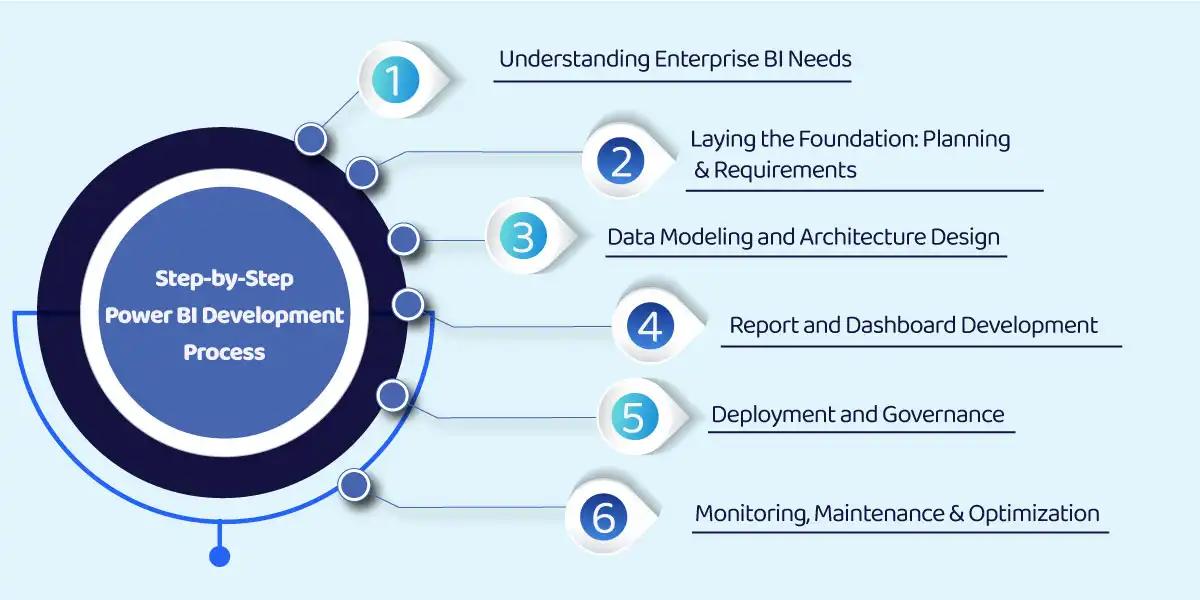
Step-by-Step Power BI Development Process
➨ Understanding Enterprise BI Needs
Enterprise BI starts with project scope, scale, and project expectations. The system needs to manage extensive data sets that multiple user groups access while different departments use it for standard decision-making processes. The Power BI dashboard development process develops through clear definitions, which guide designers to create dashboards that produce enduring results instead of short-term findings.
• What Makes BI “Enterprise-Level”?
Enterprise business intelligence needs solutions that can handle extensive data processing, continuous system updates, and simultaneous user access without a decrease in performance.
The system needs to establish security and governance mechanisms, which include access control and row-level security, audit logs, and compliance with regulations from its initial design phase.
Power BI database consulting services help organizations track their data sources while maintaining correct linkages to their data assets and developing their data frameworks to support future expansion.
• Stakeholders and Roles
Business users define KPIs while they validate insights and use reports to make actual decisions. Their participation ensures that BI results deliver usable outcomes for their work.
Data engineers construct and operate data pipelines while they maintain data quality and transformation processes and system performance during high-demand periods. They establish a dependable foundation for business intelligence operations. Power BI developers create semantic models together with reports and dashboards.
An experienced Power BI dashboard consultant creates visuals that improve user experience while achieving performance goals and meeting corporate requirements.
The IT and governance teams control all aspects of security protection, which includes compliance monitoring, deployment process management, and access rights handling. Their oversight maintains a governed BI environment that supports organizational scalability while complying with company policies throughout its operational lifespan.
Also Read: Power BI Consultant in UK as a Strategic Partner for Digital Transformation
Laying the Foundation: Planning and Requirements Gathering
The present stage establishes the maximum performance capacity of the BI solution at its operational limits. The Power BI report development process needs clear planning to maintain its alignment with business goals while preventing future work duplication.
⇒ Defining Business Objectives
KPIs need to support business objectives directly because they should not base their measurement on departmental needs. Clear definitions guarantee report consistency because they stop conflicting performance evaluations.
Use-case scenarios clarify how BI will be used in practice. Financial reporting requires precise data and regulatory compliance, whereas sales dashboards need quick access to information about current market trends. The design process needs these definitions because they establish fundamental design elements.
⇒ Data Source Identification
Enterprises often rely on both cloud and on-premise systems. The initial identification of these sources establishes their impact on connectivity, refresh cycles, and performance limits.
Data structure also matters. The Power BI dashboard development process needs different handling methods for structured databases and unstructured data sources because of their various data processing requirements and model development needs.
⇒ Security and Compliance Considerations
Row-level security controls data visibility, which is controlled according to user roles or specific regional settings. The system protects sensitive information while providing users with access to visible information.
The storage, access, and reporting of data must be fully aligned with GDPR and HIPAA regulatory standards. Addressing them during planning ensures scalability and regulatory alignment from the start.
Data Modeling and Architecture Design
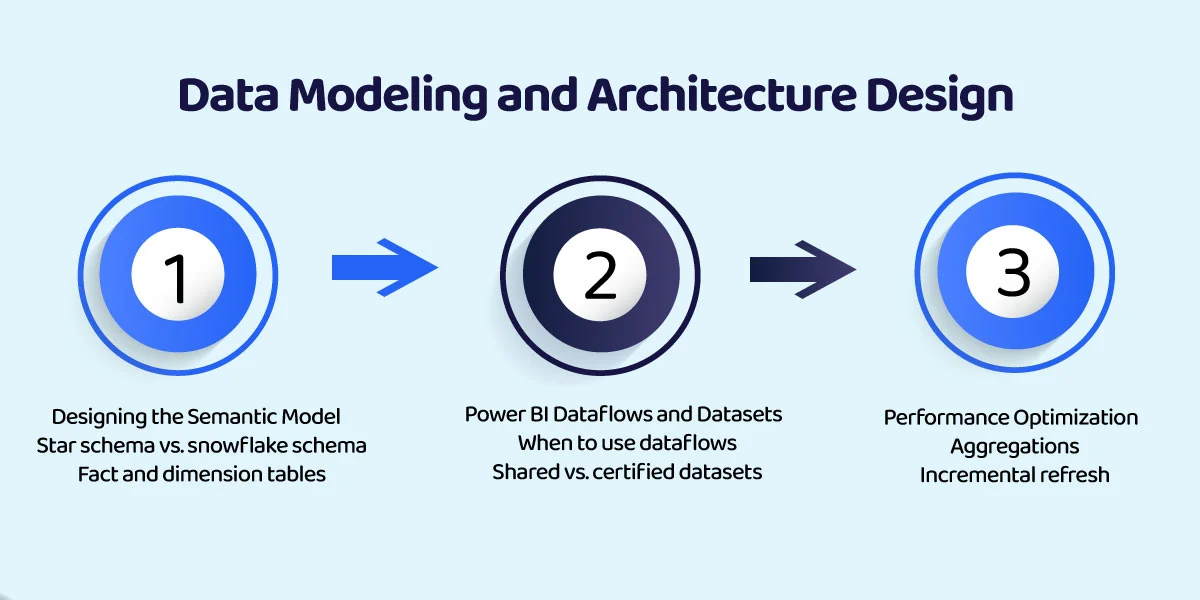
➢ Designing the Semantic Model
The semantic model states how data is interpreted and queried. Star schemas provide faster performance through their easy-to-understand relationships, while snowflake schemas enable users to construct advanced system designs.
Fact tables store measurable data, while dimension tables deliver essential business information. The process of establishing distinct boundaries between elements helps to establish better consistency, which results in fewer errors during calculations.
➢ Power BI Dataflows and Datasets
The dataflows function when transformations need to be applied to multiple datasets. The system provides central logic management to ensure all reports maintain consistent output. Organizations achieve better implementation results through Power BI consulting services, which help them streamline their processes.
Shared datasets enable the reuse of data, whereas certified datasets provide organizations with verified sources that are suitable for their enterprise reporting needs.
➢ Performance Optimization
Aggregations improve query performance by reducing the volume of data processed. Incremental refresh limits updates to recent data, which results in shorter load times.
DAX practices enable them to create calculations that maintain their performance speed while being understandable to others and growing with their business needs.
Report and Dashboard Development
➞ UI/UX Design Best Practices
Consistent themes, layouts, and branding elements create a better user experience while establishing trustworthiness for enterprise reports. Standardization reduces learning effort for users.
The dashboard analysis system uses filters, slicers, and drill-throughs to provide users with targeted analysis capabilities. A Power BI consulting company often helps strike the accurate balance between ease of interaction and clarity.
➞ Visual Selection and Storytelling
Visuals must match the data and decision context. The correct charting method enables users to understand data better while protecting them from incorrect interpretation of findings.
Effective dashboards present a logical flow, moving from summary metrics to deeper details. This structure supports faster, more confident decisions.
➞ QA and Peer Review
Functional testing confirms that all calculations, filters, and navigation systems operate correctly. Errors that get fixed during the initial process prevent future problems.
The process of validating reports against source systems establishes report accuracy, which builds trust in enterprise BI outputs.
 Deployment and Governance
➱ Workspace Strategy
The separation of Development, Test, and Production workspaces creates a safer environment that allows for controlled software releases. The deployment process requires testing because each environment provides specific functions that enable business users to evaluate the system. Power BI Service deployment pipelines enable organizations to transfer their systems between different operational environments. The system helps organizations maintain uniformity while decreasing mistakes that happen during system updates.
➱ Version Control and Change Management
Version control establishes two essential qualities of transparency and accountability. The integration of Power BI with Git enables users to monitor their data changes when they use external tools.
Documenting updates, approvals, and release notes ensures stakeholders understand what changed and why. The procedure protects operations from interruptions while it helps maintain systems for a long-term period.
➱ Data Governance
Data lineage and impact analysis enable organizations to track data movement through their databases and reporting systems. This insight helps teams assess the impact of changes before implementation. Access controls and audit logs establish a system that protects data security while maintaining compliance with regulations.
Trust between users and organizations develops through effective governance, which safeguards business intelligence assets.
Monitoring, Maintenance, and Continuous Improvement
➾ Performance Monitoring
The Power BI Premium metrics application shows capacity consumption, refresh duration, and system performance issues. Continuous evaluation enables organizations to detect problems before they start impacting their users. The combination of audit logs and usage analytics shows which reports users access and which dashboards provide maximum value. The obtained information supports both system optimization and resource management activities.
➾ Feedback Loop with Users
User feedback is essential for continuous improvement. Business teams provide ongoing feedback, which helps identify usability problems, missing features, and changing user needs.
The feedback received enables organizations to create new metrics and reports that display essential business information while maintaining their current dashboard system.
➾ Scheduled Maintenance
Well-defined dataset refresh schedules ensure data remains current without overloading resources. Monitoring refresh failures prevents downtime and data inconsistencies. The gateway management serves as a vital component for maintaining stable connections with on-premise systems. The process of proactive maintenance prevents system interruptions while enabling the BI environment to function at its regular operational capacities.
Best Practices for Enterprise Power BI Development
The process of standardizing data models establishes consistent reporting standards that eliminate different ways of interpreting essential performance metrics. The use of a single reporting model enables organizations to expand their reporting capabilities while improving their system maintenance operations.
The use of reusable datasets enables organizations to decrease their data needs while improving their system upkeep efficiency. The centralized management of updates permits multiple teams to use the same certified datasets without causing problems to their subsequent reporting processes.
The process of documenting DAX measures together with calculation methods enables better understanding while providing long-term support capabilities. The existing documentation provides teams with intent understanding while reducing their need for specific team members, which results in faster project development.
The process of tracking usage and adoption metrics shows which reports provide actual value while showing which reports are rarely used. The gathered information supports optimization work while helping to match business intelligence expenditures with their real effect on organizational performance.
Also Read: Top Power BI Partners in UAE for 2026 Delivering Data Driven Solutions
Benefits of a Structured Power BI Development Process
The structured Power BI development process delivers consistent insights that enable faster decision-making through its automated system. The established workflows create a structured system that enables users to make decisions without any delays.
The standardized models, together with their validation process, produce accurate data results that enhance all reporting. Consistency fosters trust and reduces dependency on ad hoc checks.
Security and governance built into the process create a scalable BI environment that grows with the organization. The skilled Power BI dashboard consultant and the best Power BI consulting services enable effective implementation of these standards.
A structured approach ensures IT and business teams align through shared goals, clear ownership, and ongoing collaboration, boosting adoption and long-term value.

Ready to Transform Your Power BI Approach for Enterprise Scale?
A successful enterprise Power BI lifecycle begins with requirement identification, then proceeds through development of structured data models and a controlled development process, and the final stage of performance improvement, which maintains accurate and scalable business insights.
The organization needs to hire a proficient Power BI consulting company to implement industry standards while they assess different Power BI consulting companies to find vendors who possess enterprise business intelligence expertise.
A systematic approach with IT-business collaboration and governance ensures Power BI stays aligned with evolving goals.

